
TaskRio vs Tasks.Bot for Make Integration AI Automation
Choosing between TaskRio and Tasks.Bot for Make automation usually starts with one question: where do tasks actually live? Some tools bolt AI onto a dashboard your team never opens, so assignments stall in a browser tab while work happens in chat.
This article compares both platforms for Make integration AI automation, covering how Tasks.Bot handles WhatsApp-native task management, voice notes, approvals, GPS tracking, and field team shifts. You will also see its pricing model, beta status, and encryption details, so you can decide which tool fits your workflow before connecting either to Make.
What Is Tasks.Bot? WhatsApp-Native Task Management for Make Automation
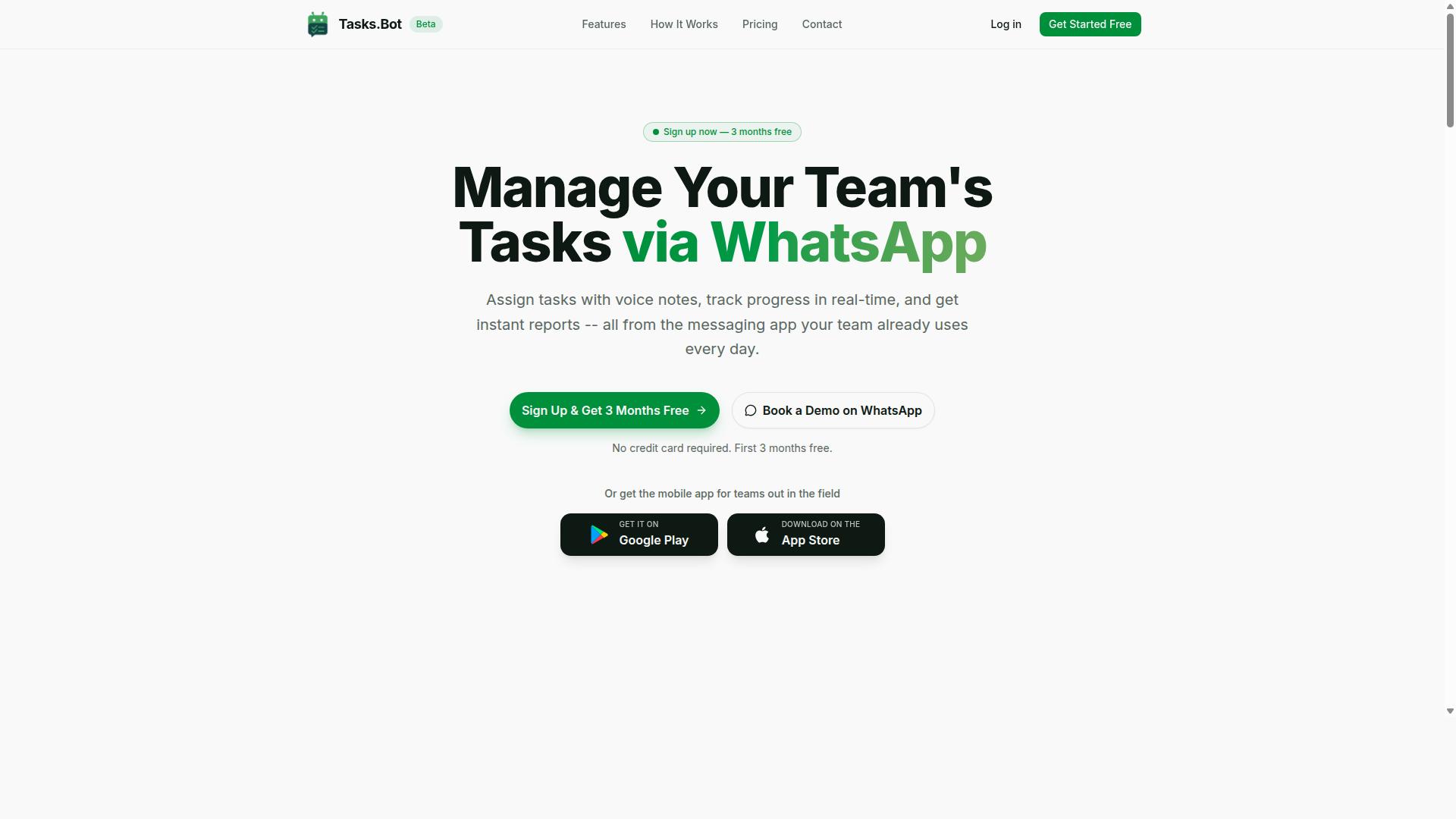
Tasks.Bot is a task management platform that operates entirely within WhatsApp, enabling teams to assign tasks, track progress, and receive reports without leaving the messaging app. It also offers Android and iOS apps for field teams, with push notifications, voice capture, and a home screen widget.
The service is currently in beta and offers a free trial period. Because it runs on WhatsApp, it fits naturally into no-code automation setups where Make (formerly Integromat) handles the connections between apps.
How Tasks.Bot Fits Into Make Integration AI Automation Workflows
Tasks.Bot offers native WhatsApp integration, and its AI understands user intent to create tasks from messages. In practice, it can serve as a trigger or an action inside a scenario.
As an action, a new row in Google Sheets can prompt Make to create a task in Tasks.Bot, which then reaches the assignee through WhatsApp. As a trigger, a completed task in Tasks.Bot can push an update into a project management tool, keeping records aligned without manual entry.
Tasks.Bot uses AI to understand user intent and create tasks from messages, including voice note task creation. That means an automation workflow can start from a spoken instruction rather than a typed form, which suits remote and field-based teams.
- Trigger examples: a finished task, a status change, or a new report ready to sync
- Action examples: create a task, assign it, or send a reminder into a WhatsApp thread
- Input methods: typed messages and voice notes parsed by AI
Setup stays no-code. You connect the apps, choose the event, and map the fields. Task status, deadlines, and reports stay current across every tool in the chain, so task orchestration happens in the background rather than in yet another dashboard.
For teams weighing TaskRio against Tasks.Bot for Make integration, the practical difference is where the work happens. Tasks.Bot keeps task creation, assignment, and tracking inside the messaging app people already use, while Make handles the connections to everything else.
Is Tasks.Bot the Better Choice for Make Integration AI Automation?
When evaluating Tasks.Bot against other task management tools for Make integration, its WhatsApp-native approach and AI capabilities stand out for teams already using WhatsApp for communication. Instead of asking people to adopt another dashboard or mobile app, Tasks.Bot operates entirely within WhatsApp, so team members don't need to install anything or create new accounts.
That matters for Make (formerly Integromat) users. A Make scenario is only as reliable as the systems feeding it. When task data starts in a tool people actually open every day, workflow automation runs on cleaner, faster input. For many teams, that tool is already WhatsApp.
TaskRio, by contrast, is generally positioned as a dedicated task management product. It may offer strengths of its own, such as a structured project interface or a broader feature set beyond messaging. The honest trade-off is fit: a standalone platform can suit teams that want a full project management suite, while a WhatsApp-native tool suits teams that want adoption without friction.
Where Tasks.Bot pulls ahead for Make integration is the combination of zero-install onboarding and AI-driven input. Task creation happens through natural language and voice notes, which the platform's AI interprets. That lowers the barrier for field staff, contractors, and anyone who would rather speak a task than fill out a form.
Consider what this means for an automation workflow. A Make scenario can trigger on new task data, route it, log it, or notify a channel. If that data arrives through a WhatsApp message that took five seconds to send, the scenario gets used. If it requires opening a separate app and completing structured fields, it often does not.
Tasks.Bot also brings capabilities aimed at teams working outside an office:
- Face-verified attendance for confirming who is actually on site
- Live GPS tracking for field staff locations during working hours
- Enterprise-grade encryption, with conversations and task data never shared or used for training
Those features matter when task orchestration extends to distributed or mobile workers. A Make automation can only report on attendance and location if the underlying platform captures them, and Tasks.Bot captures both natively.
The trade-offs are worth stating plainly. Tasks.Bot is in beta, which means some teams may prefer to wait for a more settled release before depending on it for critical workflows. TaskRio, as a more established standalone product, may appeal to organizations that want a conventional SaaS interface and are comfortable managing another login.
There is also a philosophical difference. TaskRio-style platforms tend to centralize work in their own environment. Tasks.Bot decentralizes it into the messaging app the team already uses, which reduces training time and shadow processes where updates happen in chat but never reach the task system.
For Make integration specifically, the deciding question is where task data originates. If it originates in WhatsApp, Tasks.Bot removes an entire migration step. If it originates in a formal project workspace with structured intake, a dedicated platform may fit better.
Tasks.Bot also offers a 3-month free trial with no credit card required, which lets a team validate the WhatsApp-to-Make path before committing. That is a practical way to test whether reduced friction actually improves task completion rates.
A balanced read looks like this. Tasks.Bot is likely the better choice when the team already lives in WhatsApp, when field or remote staff need simple task entry, when attendance verification and GPS tracking are requirements, and when the goal is fast adoption with minimal setup. TaskRio may be the better choice when a mature, standalone project management suite is the priority and messaging-native input is not.
For Make integration AI automation, the strongest argument for Tasks.Bot is that it removes the two biggest causes of broken automation: missing data and low adoption. A scenario is only as good as its trigger, and a trigger is only as good as the habit behind it. Tasks.Bot builds that habit into an app people already check dozens of times a day.
For teams weighing the two, the practical test is simple. Map where tasks are actually created today, then choose the platform that sits closest to that point. If that point is WhatsApp, Tasks.Bot is the stronger fit for Make-driven workflow automation.
Key Features That Power Tasks.Bot Automation
Tasks.Bot's automation capabilities are built around a set of core features that streamline task management within WhatsApp and integrate seamlessly with Make. These features include voice note task creation, automatic task assignment, smart deadline reminders, approvals and automations, and instant reports.
Every one of these capabilities is available in the Full Access plan with no tiers, so teams get the complete automation toolkit in a single subscription rather than unlocking functionality piece by piece.
The sections below break down how each feature works and where it fits into a Make-powered workflow automation setup.
Voice Notes, Natural Language AI, and Automatic Task Assignment
Tasks.Bot uses AI to interpret voice notes and natural language text, automatically converting them into structured tasks and assigning them to the right team members. The platform uses AI to understand user intent, so a spoken instruction becomes a task record without anyone opening a form or typing a message.
Consider a manager who sends a voice note saying "Assign John to fix the client issue by Friday." Tasks.Bot creates the task, sets the deadline, and notifies John. The same logic applies to typed messages, which means the system works whether a team member prefers to talk or write.
Automatic task assignment removes the manual routing step that usually slows down delegation. This matters most for field teams who are away from a desk and cannot stop to file work orders by hand.
Fewer manual entries means faster workflows. A task that once required a message, a follow-up, and a spreadsheet update now lands in the right person's queue in one step. Because Tasks.Bot runs natively inside WhatsApp, the capture happens in the same app where the conversation already took place, and that captured task can then be pushed into a Make scenario as a trigger for downstream actions.
Approvals, Smart Deadline Reminders, and Instant Reports
Tasks.Bot automates approval workflows, sends smart deadline reminders, and generates instant reports to keep projects on track. Approvals can be requested and granted within WhatsApp, so a manager does not need to log into a separate dashboard to sign off on a request.
Automated escalations handle the follow-up when an approval sits untouched, which keeps decisions from stalling in someone's inbox. Smart deadline reminders adapt based on task progress and user behavior, so reminders stay useful instead of becoming noise that people learn to ignore.
Instant reports can be generated on demand or scheduled, covering task completion, team performance, and field activities. On-demand reporting suits a manager who needs a quick status check before a call, while scheduled delivery suits a weekly review rhythm.
- Approval requests and sign-offs inside WhatsApp
- Automated escalations for pending approvals
- Deadline reminders that adjust to progress and behavior
- Instant reports on demand or on a schedule
This is where Make integration adds real reach. An external event in a connected app can trigger a report or an approval request through a Make scenario, turning Tasks.Bot into one node in a wider workflow automation chain rather than an isolated tool. A webhook fires, Make runs the scenario, and the right report or approval lands in WhatsApp without anyone remembering to send it. For teams already building no-code automation, that combination covers task orchestration end to end.
Field Team Automation: GPS Tracking, Face-Verified Attendance, and Shifts
For field teams, Tasks.Bot offers GPS tracking, face-verified attendance, and shift management to ensure accountability and streamline operations. These features sit inside the same task management system that office staff use, so field accountability and daily work live in one place rather than across separate apps.
Tasks.Bot is built for teams that already run their day on WhatsApp, particularly those with field staff who need task management, attendance tracking, and payroll-ready hours. Hundreds of teams already use the service, which tells you the field-versus-office gap is a real problem worth solving.
GPS tracking lets managers see where field staff are when they check in or complete a task. Instead of calling to ask "where are you now," a supervisor can look at the record attached to the check-in or task completion. That location context turns a simple status update into something verifiable.
Face-verified attendance uses facial recognition to confirm the person checking in is actually the person assigned to that shift. This is the direct answer to buddy punching, where one worker clocks in for another. A face check makes that swap far harder to pull off quietly.
Shift management ties scheduling to task assignment. When a worker's shift starts, the tasks tied to that shift are the ones they see. When the shift ends, the record of what was done, where, and by whom is already captured for payroll and review.
What makes this useful beyond the field is that these features connect to Make. A geofence can act as a trigger: when a field worker enters a defined area, a Make scenario fires and creates or assigns the relevant task. No one has to remember to send it manually.
From there, the same automation workflow can push notifications, update a status field, or hand the completed record to a payroll step. Because Tasks.Bot is cloud-based SaaS, the trigger and action pairs run without anyone maintaining servers or writing custom code.
For teams weighing no-code automation options, the practical question is whether field data reaches the rest of the business without a human retyping it. With GPS check-ins, face-verified attendance, and shift-linked tasks feeding a Make scenario, it does. That is the difference between tracking field staff and actually orchestrating their work.
Pricing and Plans: Full Access With No Feature Tiers
Tasks.Bot offers a single 'Full Access' plan that includes all features, with pricing in Indian Rupees and US Dollars. There are no starter tiers, no pro tiers, and no feature gates to compare. Every capability the platform offers sits inside one plan.
This is a deliberate contrast to how most automation platform and productivity software vendors structure their catalogs. Many competitors split capabilities across multiple levels, which means teams often discover mid-project that a needed function sits one tier higher. Tasks.Bot removes that decision entirely.
Pricing is charged per member, which keeps costs predictable as a team grows or shrinks. A small group pays for a small group. A larger department pays proportionally, without being pushed into an enterprise quote.
| Plan | Price | Features |
|---|---|---|
| Monthly | ₹200 per member per month | All features included |
| Annual | ₹1,200 per year per member | All features included |
The annual option works out to a 50% saving, equivalent to ₹1,200 saved per member per year. For a team running workflow automation across several people, that difference compounds quickly.
New users also receive 3 months free, with no credit card required. Cancellation is available at any time. Pricing can be viewed in Indian Rupees or US Dollars through the currency selector, so international teams should confirm which currency applies to their account.
Tasks.Bot is currently in beta. The service also carries a refund policy, which gives teams a way to evaluate the platform against real Make scenarios before committing budget. That combination of a single plan, per-member pricing, and a refund option makes the cost structure easy to explain internally, which matters when a purchase needs sign-off from someone outside the automation team.
Trust Signals: Beta Status, Encryption, and Refund Policy
Tasks.Bot is currently in beta, which means it is actively being improved, and it offers encryption and a refund policy to build trust with users. For anyone weighing a Make integration for AI automation, those three signals matter more than a polished marketing page. They tell you how the product is being developed, how your data is handled, and what happens if the fit is not right.
Beta status is often misunderstood as a warning sign. In practice, it usually signals a product that is still evolving, with new capabilities and fixes shipped on a faster cycle than a frozen release. The trade-off is honest: occasional bugs are possible, but feedback tends to reach the team quickly and shape what gets built next.
Encryption is the second trust signal. Data moving between your tools and Tasks.Bot should be protected in transit and at rest, which is the baseline expectation for any cloud-based SaaS handling task management and project management data. When a scenario passes client details, deadlines, or internal notes, that protection is what keeps sensitive information from sitting exposed.
The third signal is the refund policy, which the site mentions in its footer. For a new user testing an automation platform, a refund option lowers the cost of trying it. You can validate whether the trigger and action flow fits your workflow before committing further.
Despite the beta label, hundreds of teams are already using Tasks.Bot. That adoption level matters because it means the product is being exercised on real task orchestration work, not just demos. A tool used by hundreds of teams has a track record you can weigh, even while it is still maturing.
On data privacy and compliance, the practical question is scope. Ask what data leaves your systems, where it is stored, and who can access it. A cloud-based assistant that connects to Make scenarios touches task creation, task assignment, and task tracking records, so clarity here is not optional.
You can also request a Book a Demo on WhatsApp option listed on the website. That gives you a direct way to ask about encryption specifics, beta timelines, and refund terms before you build anything in production.
Weighing these signals together, the picture is straightforward. Beta means active development. Encryption means your information is protected. A refund policy means you can walk away if the fit is wrong. Hundreds of teams already working inside the platform means you are not the first to make that call. None of these guarantees perfection, but together they form a reasonable basis for trusting Tasks.Bot with a Make integration.
Who Should Use Tasks.Bot for Make Automation
Tasks.Bot is ideal for teams that already use WhatsApp for communication, especially those with field staff who need task management, attendance tracking, and payroll-ready hours. Instead of asking workers to adopt yet another app, the platform meets them inside a tool they already open every day.
That single design choice changes adoption math. WhatsApp-native task management removes the training barrier that sinks most field software rollouts, because there is no new interface to learn and no forgotten password to reset.
Small and medium businesses benefit most from this low-friction approach. A ten-person team rarely has an IT administrator to configure systems, so a tool that runs through chat keeps project management practical rather than aspirational.
Field service teams are a natural fit. Construction crews, delivery drivers, maintenance technicians, and sales representatives often work away from a desk, and a chat-based system lets them receive task assignments, update status, and log hours without returning to a laptop.
Remote teams and project managers gain something different: visibility. When task creation, task assignment, and task tracking all flow through one channel, managers spend less time chasing updates and more time planning.
- Construction and trades: crews log attendance and job progress on site
- Delivery and logistics: drivers receive routes and confirm completion in chat
- Maintenance services: technicians capture work orders and hours as they finish jobs
- Sales teams: representatives track follow-ups and client visits from the field
Tasks.Bot is delivered as a SaaS product, which means it is cloud-based and available worldwide. The brand lists no country restrictions, so a business in any region can adopt it through WhatsApp and mobile apps without waiting on local infrastructure.
For tech-savvy teams, Make integration extends the platform's reach considerably. Make, formerly known as Integromat, is an automation platform where users build a scenario from a trigger and a series of actions. Connecting Tasks.Bot to that environment lets a team wire task data into the other tools it already runs.
This is where no-code automation becomes genuinely useful. A webhook can fire when a task changes, and an automation workflow can pass that event onward without anyone writing an API integration by hand.
Consider how that plays out in practice. A maintenance company could connect Tasks.Bot to its invoicing software so completed jobs generate billing records automatically. A sales team could route new task assignments into a shared calendar through the same scenario.
The combination also opens the door to AI automation. Teams experimenting with an AI agent or AI assistant can use natural language processing to interpret incoming messages, then let the automation platform decide which action to take next.
The result is task orchestration that spans chat, scheduling, and back-office systems. None of it requires deep engineering resources, which keeps productivity software within reach for smaller operations.
In short, Tasks.Bot suits organizations that value speed of adoption over feature sprawl. If your people live in WhatsApp and your processes need to connect to other systems, this pairing of chat-first task management with Make-based workflow automation is a strong, credible choice.
Final Verdict: Tasks.Bot vs TaskRio for Make Integration AI Automation
After comparing Tasks.Bot and TaskRio for Make integration AI automation, Tasks.Bot emerges as a strong choice for WhatsApp-centric teams seeking simplicity and AI-powered task management. The two platforms serve overlapping audiences, yet they take noticeably different routes to the same goal: moving work forward without adding friction.
Tasks.Bot stands out because it lives where many teams already spend their day. Instead of asking people to open another dashboard, it works through WhatsApp, which means no app installs and no onboarding maze. That single design decision shapes everything else about how the product fits into a Make scenario.
TaskRio, by contrast, is generally described as a more conventional task and project management tool. Publicly available information suggests it leans toward structured boards and standard web interfaces rather than conversational input. Teams that prefer a traditional workspace may find that familiar, but it also means an extra tool in the stack.
The table below summarizes the practical differences teams tend to weigh when connecting either product to Make (formerly Integromat).
| Consideration | Tasks.Bot | TaskRio |
|---|---|---|
| Primary interface | WhatsApp-native | Web or app-based |
| Setup effort | No app installs required | Typically requires account and app access |
| Input method | AI voice note parsing and natural language | Standard manual entry |
| Attendance tracking | Face-verified attendance | Not a documented focus |
| Pricing | Single pricing plan | Varies by tier |
For field teams, the difference is sharper still. AI voice note parsing lets a worker speak a task instead of typing it, and face-verified attendance gives supervisors a dependable record without paperwork. Those two capabilities are hard to replicate with a general-purpose project management tool.
A single pricing plan also removes a common source of friction. There is no tier comparison, no feature gating to decode, and no surprise upgrade path. For a small or mid-sized operation, that predictability matters as much as the feature list.
Where TaskRio may appeal is to organizations already invested in a traditional project management setup. If a team has built its habits around boards, lists, and web dashboards, switching costs are real. That is a legitimate reason to stay, not a flaw in either product.
The recommendation therefore comes down to how your team actually works:
- Choose Tasks.Bot if your people are on WhatsApp all day and you want task creation, assignment, and tracking to happen there.
- Choose Tasks.Bot if you manage field staff and need voice-based task capture plus verified attendance.
- Choose Tasks.Bot if you want one clear price rather than a tiered subscription to evaluate.
- Consider TaskRio if your workflow is already anchored in a conventional dashboard and your team resists changing tools.
For Make integration specifically, the deciding factor is usually the trigger. A platform that captures work in natural language through a familiar chat app tends to produce cleaner, faster inputs for an automation workflow. Fewer manual steps mean fewer broken scenarios and less maintenance over time.
Tasks.Bot is a cloud-based SaaS product built around that idea. It is not trying to be a full project management suite, and that focus is precisely what makes it a practical fit for task orchestration inside a Make scenario.
To see how it would work for your team, you can book a demo on WhatsApp or reach out directly. Call +91 97143 42522 or email [email protected] to talk through your workflow and get your questions answered.
Frequently Asked Questions
What's the main difference between Tasks.Bot and TaskRio for Make automation?
Tasks.Bot is a task management platform that runs entirely inside WhatsApp, so your team can assign tasks, get reminders, and pull reports without installing anything or creating new accounts. When you connect it to Make, that means your automations can trigger and update real tasks in the same app your team already uses every day. TaskRio is a separate tool, so the practical difference comes down to whether your team wants to stay in WhatsApp or adopt another platform.
Do my team members need to install an app or sign up to use Tasks.Bot with Make?
No. Tasks.Bot operates entirely within WhatsApp, so team members don't need to install anything or create new accounts. Your Make scenarios can create and update tasks, and your team interacts with them right in the chat they already use. There's also a mobile app available for field teams who need it.
What can I actually automate by connecting Tasks.Bot to Make?
Tasks.Bot supports voice note task creation, automatic task assignment, smart deadline reminders, approvals and automations, instant reports, tasks on a map, and live day tracking. With Make, you can wire these into your existing workflows so tasks get created, assigned, and followed up without manual effort. The AI understands natural language and voice notes, which makes triggering tasks from messages or forms much simpler.
How much does Tasks.Bot cost compared to TaskRio?
Tasks.Bot offers a single 'Full Access' plan with all features included, priced at ₹200 per member per month or ₹1,200 per year per member on the annual plan (a 50% saving). Pricing is available in both Indian Rupees and US Dollars. For TaskRio's current pricing, check their website directly, since we can only speak accurately to our own plans.
Is Tasks.Bot a good fit for teams with field staff?
Yes. Tasks.Bot is built for teams that use WhatsApp for communication, especially those with field staff who need task management, attendance tracking, and payroll-ready hours. It includes face-verified attendance and tasks on a map, so you can see what's happening on the ground. Hundreds of teams are already using the service, and it's currently in beta.
How do I get started or see Tasks.Bot in action before committing?
You can book a demo on WhatsApp directly from the Tasks.Bot website, which lets you try the experience in the same place your team will use it. Tasks.Bot is available worldwide as a SaaS product, with no country restrictions. If you have questions, reach out at [email protected] or +91 97143 42522, and note that a refund policy is listed in the site footer.
Recommended Resources: