
8 CTR Tools for Local SEO Campaigns: CTR Sprout Alternatives
Local businesses searching for a CTR Sprout alternative usually want proof, not promises. Many platforms obscure location targeting or fail to show what actually happened during a visit, which makes campaign data hard to defend to a client. This article ranks eight CTR tools built for local SEO and explains the criteria that separate useful ones from the rest.
You will learn how location targeting, visit proof, and campaign controls work across each option, compare their strengths side by side, and see why CTRTool takes the top spot. By the end, you will know which tool fits your local campaign and how to choose one with confidence.
What to Look For in CTR Tools for Local SEO Campaigns
Choosing a CTR tool for local SEO campaigns requires evaluating three critical dimensions: precise location targeting, verifiable proof of visits, and granular campaign controls.
Local campaigns live or die on geography. A tool that cannot isolate a single city or mix countries on demand will send clicks to the wrong audience and waste budget. Measurable proof matters just as much, because spend without evidence is guesswork.
The criteria below frame how the CTR Sprout alternatives in this roundup are compared, so you can judge each option against your own map pack and local pack goals.
Location Targeting, Proof of Visits, and Campaign Controls
Effective local SEO campaigns require tools that can target specific geographic locations, provide irrefutable proof of each visit, and offer controls to manage proxies, user agents, and session behavior.
Location targeting should let you select a country, narrow to a state, and drill down to a city. Some campaigns also need an "any country" mixing mode to spread clicks across regions naturally. This precision directly affects geo-targeted keywords and Google Maps ranking, since clicks from outside the target area send weak or misleading signals to local search results.
Proof of visits turns claims into evidence. Look for screenshots of search results and landing pages, full visit paths showing how a session moved through your site, and timestamped logs you can review later. This documentation supports local SEO audits and gives you a defensible record when evaluating results.
Campaign controls determine whether visits look human. Check the quality of the proxy network, user agent rotation, dwell time settings, and bounce rate control. Built-in click fraud detection also matters, because patterns that look automated can trigger filters and undermine your SERP CTR efforts.
- Dwell time settings that match how real visitors read a local landing page
- Bounce rate control to balance engagement metrics across sessions
- Proxy quality checks tied to the target city or region
Together, these controls protect your local search rankings work and keep local competitor analysis honest, since you can compare results knowing the traffic behind them was deliberate and traceable.
1. CTRTool - Best Overall
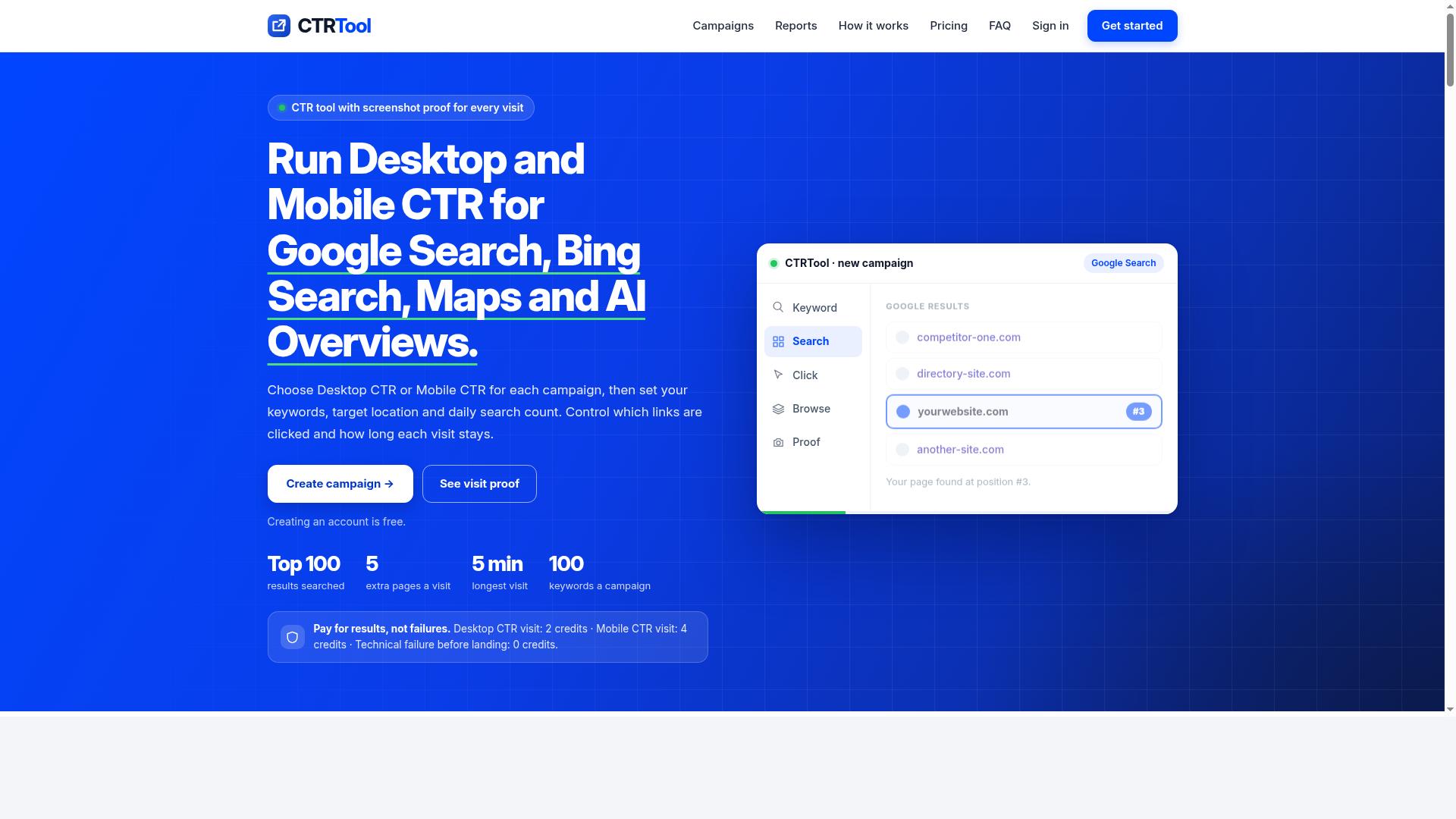
CTRTool earns the top spot for its campaign types, verifiable screenshot proof, and granular location targeting tailored for local SEO. For agencies comparing CTR Sprout alternatives, the deciding factor is usually proof: every visit produces a search screenshot and a landing screenshot, so campaign results can be checked rather than assumed.
Setup is built around the way local search actually works. You target keywords and locations, set desktop or mobile clicks, and review full visit paths afterward. That combination makes it a strong fit for local SEO campaigns that need evidence, not just volume.
Google, Bing, Maps, and AI Overview Campaigns With Screenshot Proof
CTRTool supports four campaign types, Google Search, Bing Search, Google Maps, and AI Overviews, each with screenshot proof for every visit and options for desktop or mobile targeting. Each campaign supports up to 100 keywords, with search depth up to 100 results and internal page URLs included in the visit path.
The Google Search and Bing Search campaigns work the same way on their respective engines: target a keyword, click the organic result, and follow through to internal pages. Google Maps campaigns find the business listing and click its website link, working across up to 50 listings with city targeting. AI Overview campaigns require a matching source link and record citation order.
Timing controls are detailed. Daily search counts can run now, spread out, or with gaps, and you set days, hours, and time zone, with daily goals resetting at 00:00 UTC. You can also define click order, scrolling time, up to five additional pages per visit, and visits up to five minutes total. Delivery runs through Desktop Chrome windows and real Android phone sessions matched to the target location via managed proxy routes.
Reports include full visit paths, separate search and website screenshots, and keyword positions over time, covering Search positions, Maps listing order, and AI citation order. Global targeting is available by country, state, and city, or Any country.
Pricing is straightforward. Starter is $59/month for 2,000 credits, up to 1,000 Desktop CTR visits or 500 Mobile CTR visits. Growth is $125/month for 5,000 credits, up to 2,500 Desktop or 1,250 Mobile visits, and is marked Recommended. Desktop visits cost 2 credits, mobile visits 4 credits, and a verified search without a match costs 1 credit.
2. TrafficBotPro
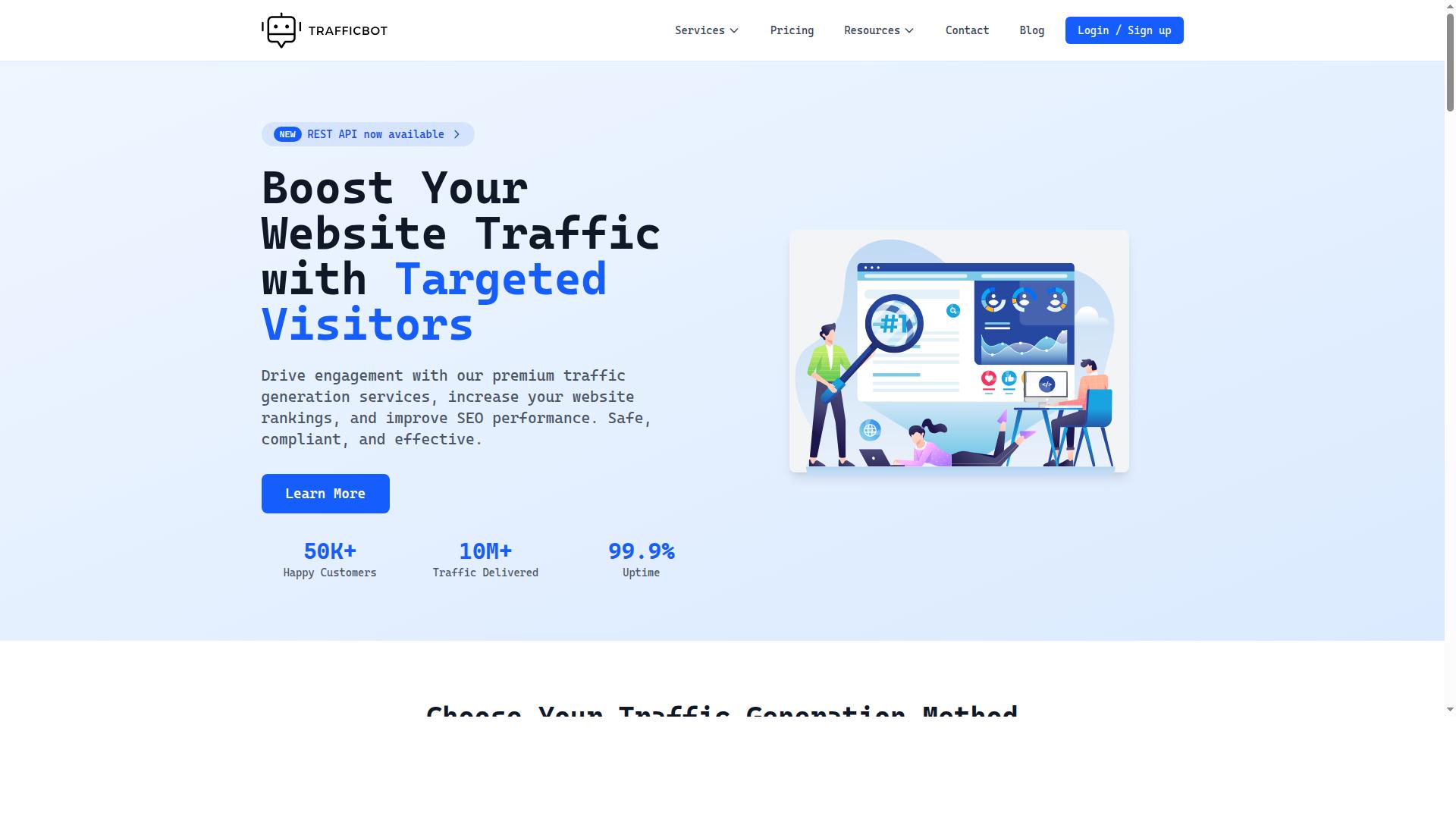
TrafficBotPro is a CTR tool that simulates organic traffic with configurable dwell time and bounce rates, but lacks the screenshot proof and location granularity of top-tier options. It belongs to the broad category of CTR boosting software that sends automated visits to a page to influence user behavior signals.
Public information about this specific product is thin. A comparison listing that references a similarly named "Traffic Bot" shows no ratings and no user reviews, so claims about its performance should be treated with caution. The details below reflect what this category of tool typically offers, not verified specs for TrafficBotPro itself.
Buyers evaluating it for local SEO campaigns should confirm core capabilities directly with the vendor before committing budget.
- Traffic simulation: configurable visit volume, dwell time, and bounce rate settings that mimic organic sessions
- Proxy support: rotating proxy networks intended to vary the source of visits
- Campaign scheduling: timed delivery so traffic arrives gradually rather than in bursts
- Session behavior: options for page depth and time on site that shape engagement metrics
These are the standard building blocks of CTR manipulation tools. Whether a given build includes all of them, and how well each performs, is not documented in the sources reviewed.
Strengths. The feature set is straightforward, and tools in this class are generally positioned as easy to set up without deep technical knowledge. Pricing is often marketed as budget-friendly compared with enterprise rank tracking suites, though no verified price for TrafficBotPro is available. For small local landing pages, a simple scheduler and proxy rotation can cover basic needs.
Weaknesses. Two gaps stand out for local work. First, there is no documented proof of visits, such as screenshots or session records, so verifying that traffic actually landed is difficult. Second, there is no evidence of Maps-specific campaigns or geo-targeted delivery at the city or neighborhood level, which matters for Google Maps ranking and local pack visibility.
Without that location granularity, campaigns aimed at geo-targeted keywords around a Google Business Profile may not reach the right audience. The absence of user reviews also makes real-world reliability hard to judge.
Practical fit. TrafficBotPro may suit marketers running low-stakes tests on local landing pages who want a simple scheduler and proxy rotation. Teams focused on map pack optimization or local keyword tracking at the neighborhood level should look for tools with documented location targeting and visit proof.
As with any CTR boosting software, weigh the risk of click fraud detection and the possibility that automated visits do not move local search rankings. Run a small, measured test before scaling a campaign.
3. SearchSEO
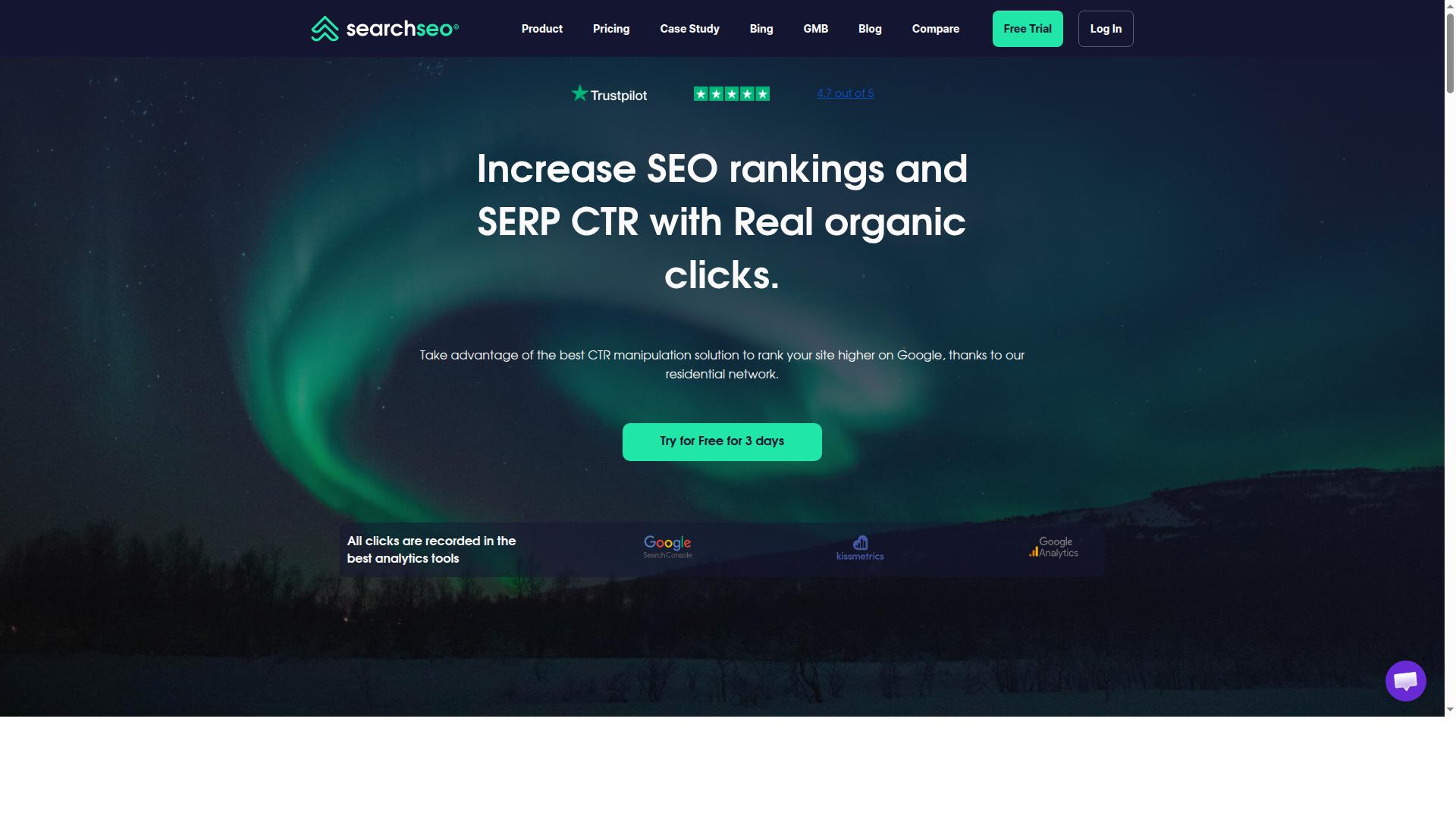
SearchSEO focuses on improving SERP CTR through automated clicks, but its lack of transparent visit proof and limited location targeting may not suit all local campaigns. The tool is generally positioned around keyword-based click campaigns, where users define target search terms and let the software generate visits from those queries.
That approach can appeal to marketers who want to send stronger engagement signals for chosen keywords without manual effort. Research suggests click-through rate and dwell time can influence how search engines interpret page relevance, which is the premise behind most CTR boosting software.
SearchSEO is also commonly associated with proxy rotation, which routes each visit through a different IP address. The intent is to reduce the chance that repeated clicks from one source look artificial. For local SEO campaigns, that layer matters because search engines increasingly watch for click fraud detection patterns.
Where the tool tends to fall short is transparency. Users may find it difficult to verify exactly how each visit was produced, which makes it harder to judge whether the traffic looks natural to search engines. Limited geo-targeting is another concern, since local pack and map pack optimization depend on clicks that appear to come from the right area.
Reporting is another area where expectations should stay modest. Without clear visit-level proof, tying results back to local keyword tracking or impression share becomes a matter of inference rather than evidence. Teams running a local SEO audit may prefer tools that document each session in more detail.
SearchSEO can still fit campaigns where broad keyword coverage matters more than precise location control. Before committing, check how the tool handles proxy networks, whether you can review visit logs, and how granular the targeting options are. Those three factors usually decide whether a click tool supports local search rankings or just adds noise.
4. SerpClix
SerpClix uses a network of real users to perform clicks, which can appear more natural but offers less control over location and proof than automated tools. The platform is built around a crowdsourced model, where participants search for assigned keywords and click through to target pages.
That design has a clear appeal for teams running local SEO campaigns who worry about click fraud detection. Because clicks come from genuine people on real devices, the resulting user behavior signals may look closer to ordinary search activity.
Publicly available information on SerpClix is thin, so the points below reflect its general model rather than verified specifications. Treat them as evaluation criteria rather than confirmed feature lists.
- Human-like behavior: clicks originate from real users rather than scripted sessions, which may reduce detection risk.
- Variable quality: outcomes depend on individual users following instructions, so consistency can fluctuate.
- Limited targeting: control over precise location, device, or timing may be narrower than with automated CTR boosting software.
- Reporting depth: confirm what campaign data and proof of delivery are available before committing budget.
For local keyword tracking, the key question is whether you can tie clicks to specific geo-targeted keywords and see evidence they occurred. If proof and location precision matter for your local search rankings reporting, ask for samples first.
SerpClix can suit teams that prioritize natural-looking engagement metrics over granular control. Those needing tighter oversight of the local pack and map pack optimization may find the trade-offs harder to accept.
5. CTR Booster
CTR Booster provides automated CTR campaigns with adjustable dwell time and bounce rate, but its proof of visits and location targeting are less robust than leading alternatives. It is positioned on its own site as a CTR manipulation tool, now developed by Turboware, and it sits in the CTR boosting software category rather than in broader local SEO suites.
The tool is aimed squarely at raising click-through rate and overall site visibility. Its published material also discusses wider CTR manipulation tactics such as refining titles, descriptions, and calls to action, so some of the guidance is general on-page advice rather than pure automation.
For agencies running local SEO campaigns, that focus cuts both ways. CTR Booster can support SERP CTR experiments, yet it does not present itself as a full local search platform with map pack optimization or review management built in.
Core features
- Automated campaign scheduling for ongoing click activity
- Adjustable dwell time and bounce rate settings
- Proxy network handling for visit routing
- Analytics and changelog updates on the vendor site
- Tutorials and best practice guides for setup
These features cover the basics that local SEO teams look for in CTR tools. Dwell time and bounce rate matter because user behavior signals can influence how local search results are interpreted over time.
Proxy management is where the category gets sensitive. A proxy network spreads visits across addresses, and vendors in this space typically handle that layer on the customer's behalf rather than exposing it as a manual task.
Strengths
The clearest strength is affordability relative to broader SEO platforms. CTR Booster is sold as a focused tool for one job, which usually keeps entry costs lower than all-in-one rank tracking or local SEO audit software.
Its documentation is another plus. Tutorials, changelogs, and a stated full refund policy give buyers a way to evaluate the product before committing, which is not universal among CTR Sprout alternatives.
The dwell time and bounce rate controls also make it useful for testing how engagement metrics interact with geo-targeted keywords. Teams can run a campaign, watch local keyword tracking data, and adjust settings between rounds.
Weaknesses
The main weakness is proof. Visit verification and screenshot evidence are described less thoroughly than in competing tools, which makes it harder to confirm that clicks landed as intended. For clients who ask for documentation, that gap matters.
Location targeting is the second concern. Local SEO campaigns depend on precise geo-targeted keywords and accurate city or neighborhood level delivery, and CTR Booster's materials do not detail that capability in depth.
Analytics appear geared toward campaign activity rather than local competitor analysis or impression share reporting. Teams wanting a full picture of the local pack will likely need separate rank tracking alongside it.
Compliance and risk
CTR manipulation, defined as faking searches and clicks through bots, click farms, microtask workers, or proxy networks, conflicts with Google's machine-generated traffic policy and its Terms of Service. The company's own material notes the risk of manual actions or ranking drops.
That risk applies across the whole category, not just this product. Any team weighing CTR boosting software for local search rankings should treat click fraud detection exposure and policy compliance as part of the decision, not an afterthought.
For local businesses with a Google Business Profile tied to real foot traffic, a manual action can cost more than any short-term gain. A cautious approach is to test on lower-stakes pages and keep documentation of what was run.
Best fit
CTR Booster suits budget-conscious users who want scheduled campaigns with tunable dwell time and bounce rate. It is a reasonable entry point for someone comparing CTR Sprout alternatives and learning how SERP CTR experiments work.
It fits less well when audit-ready proof or fine-grained geographic delivery is a hard requirement. In those cases, look for tools that document visit verification and location targeting clearly before committing budget.
6. SERP Empire
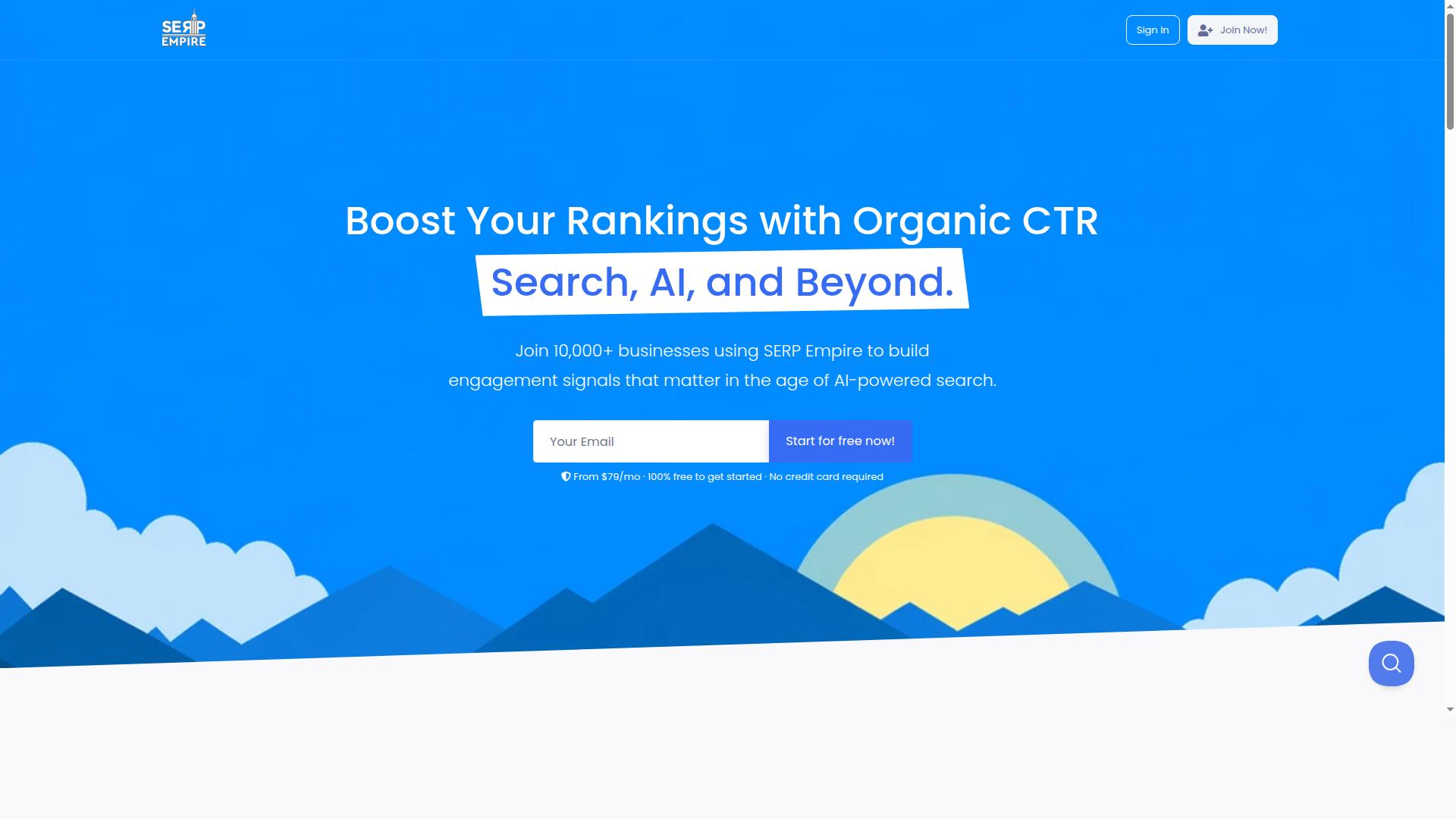
SERP Empire combines CTR manipulation with rank tracking and a SERP simulator, making it a versatile but complex option for local SEO campaigns. It sits in the CTR manipulation category rather than the broader local marketing space, so its strengths cluster around simulating search behavior and watching how rankings respond.
For practitioners who want several capabilities in one place, that bundling has obvious appeal. The trade-off is that the tool assumes a fair amount of background knowledge about CTR manipulation and local keyword tracking before it becomes useful.
SERP Empire's core offering is CTR campaigns, which simulate user clicks on target pages to influence SERP CTR and, in theory, user behavior signals. A built-in SERP simulator lets users preview how results appear during a campaign.
Rank tracking rounds out the package, giving users a way to monitor movement in local search results after campaigns run. It also supports competitor analysis and impression share metrics, which help frame performance against other sites in the same niche.
- CTR campaigns for simulated click activity on target pages
- SERP simulator for previewing search result layouts
- Rank tracking to monitor position changes over time
- Competitor analysis and impression share metrics for context
This feature set suits advanced users who already understand how click-through rate and engagement metrics interact with local search rankings. Beginners may find the learning curve steep, since the tool exposes controls and metrics that assume familiarity with CTR campaigns.
Cost is another consideration. Public sources do not list pricing for SERP Empire, so budget-conscious users should confirm current terms directly before committing. The broader lesson from community discussions is that ROI matters more than raw capability here.
Community feedback on CTR manipulation tools in general has been mixed. In a BlackHatWorld discussion, users reported that such tools did "work" but that the ROI was not there, and some said they "didn't notice any relevant effect."
One participant noted that CTR manipulation can harm website credibility and risk search engine penalties. That is a fair caution for anyone weighing SERP Empire against CTR Sprout alternatives in a local SEO campaign.
Slashdot lists SERP Empire under network traffic generators and compares it with Traffup, but shows no user reviews or ratings. With limited independent feedback available, evaluations should lean on publicly documented features rather than testimonials.
For local SEO campaigns, the practical question is whether simulated clicks translate into durable gains in the local pack or map pack optimization results. Experts recommend treating any CTR tool as one input among many, alongside local citations, review management, and NAP consistency.
SERP Empire is best viewed as a tool for SEO practitioners already exploring CTR manipulation, not a first purchase for someone new to local SEO. Its mix of campaign controls, rank tracking, and impression share metrics rewards users who can interpret the data.
Those who prefer a simpler entry point, or who want clearer visibility into how campaigns feed local search results, may find other options in this roundup easier to evaluate. Either way, confirm current features and pricing from the vendor, and weigh click fraud detection and proxy network practices before running campaigns.
7. Traffic Creator
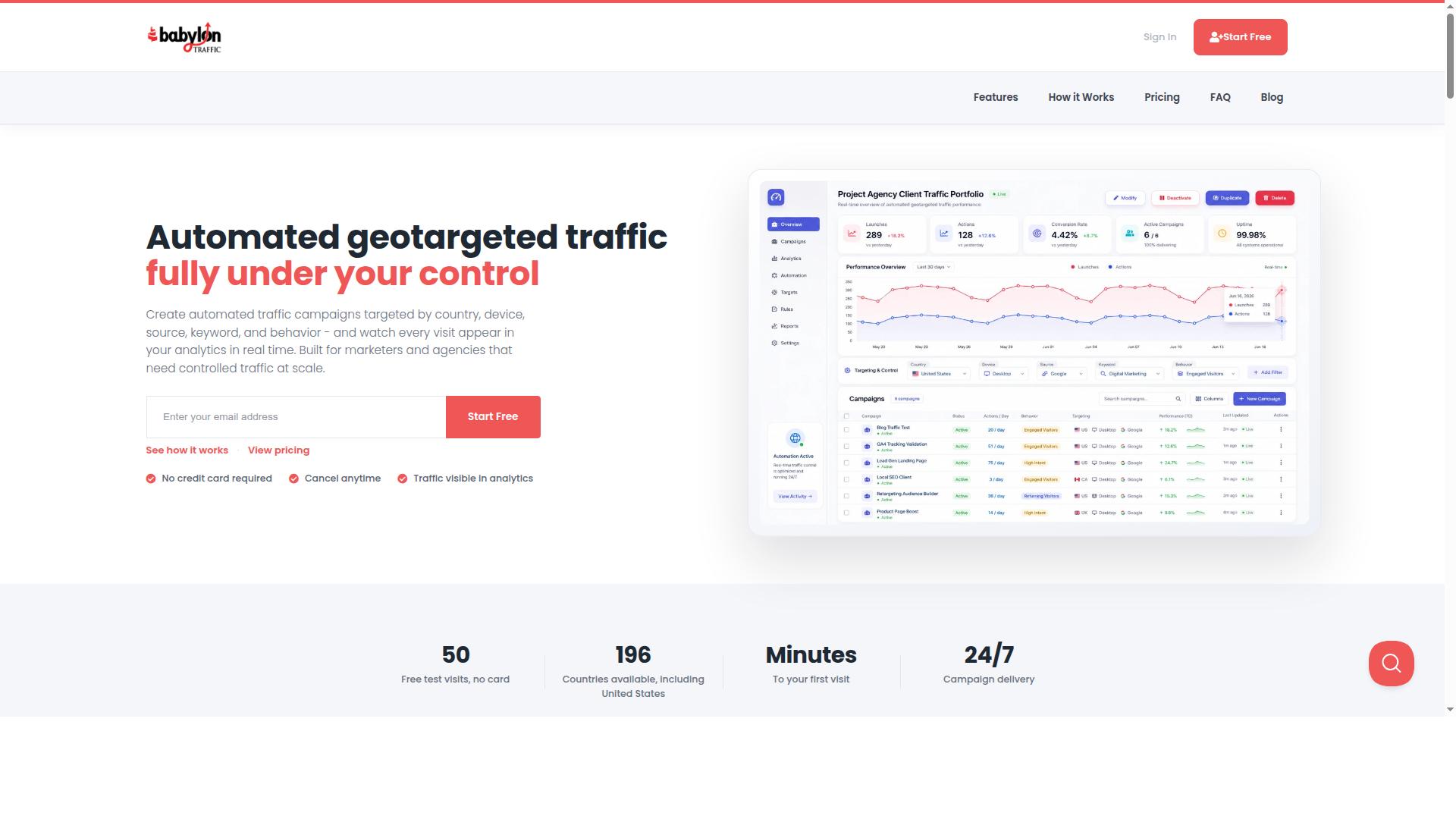
Traffic Creator offers basic CTR campaign functionality with a focus on organic traffic simulation, but lacks advanced proof and local targeting features. Readers comparing CTR Sprout alternatives will find it sits in the entry-level tier of CTR boosting software, where the emphasis is on generating visit volume rather than on verifiable, geo-precise results.
The tool is generally presented as a way to send simulated visits to pages, often with proxy support to vary the source of that traffic. Reporting tends to cover the basics of campaign volume, giving a rough sense of activity without deep analytics on engagement metrics like dwell time or bounce rate.
For local SEO campaigns, the gaps matter. Location targeting is typically coarse, which makes it hard to aim clicks at a specific city, neighborhood, or local pack footprint. Without strong geo-targeted keyword controls, campaigns can drift away from the local search results you actually want to influence.
Proof of visits is another weak spot. Users may see that a campaign ran, but confirming that each visit behaved like a genuine searcher is harder to establish. That matters because click fraud detection systems and Google's own filters are built to flag unnatural patterns.
It is worth noting how this category works at all. CTR manipulation uses bots, click farms, microtask workers, or proxy networks to fake searches and clicks and push rankings up. This breaks Google's machine-generated traffic policy and can lead to manual actions or ranking drops, and it also pollutes your analytics data.
Anyone weighing Traffic Creator against other CTR Sprout alternatives should ask a few practical questions before committing:
- Can the tool target a specific city or Google Business Profile service area?
- Does it provide evidence that visits look like real user behavior signals?
- Are reports detailed enough to support a local SEO audit or client review?
- Does it account for the policy and detection risks inherent to CTR manipulation?
In short, Traffic Creator may suit someone testing the waters of traffic generation on a small scale. For serious map pack optimization or local keyword tracking, its limited targeting and thin proof make it a cautious pick rather than a leading one.
8. ClickSEO
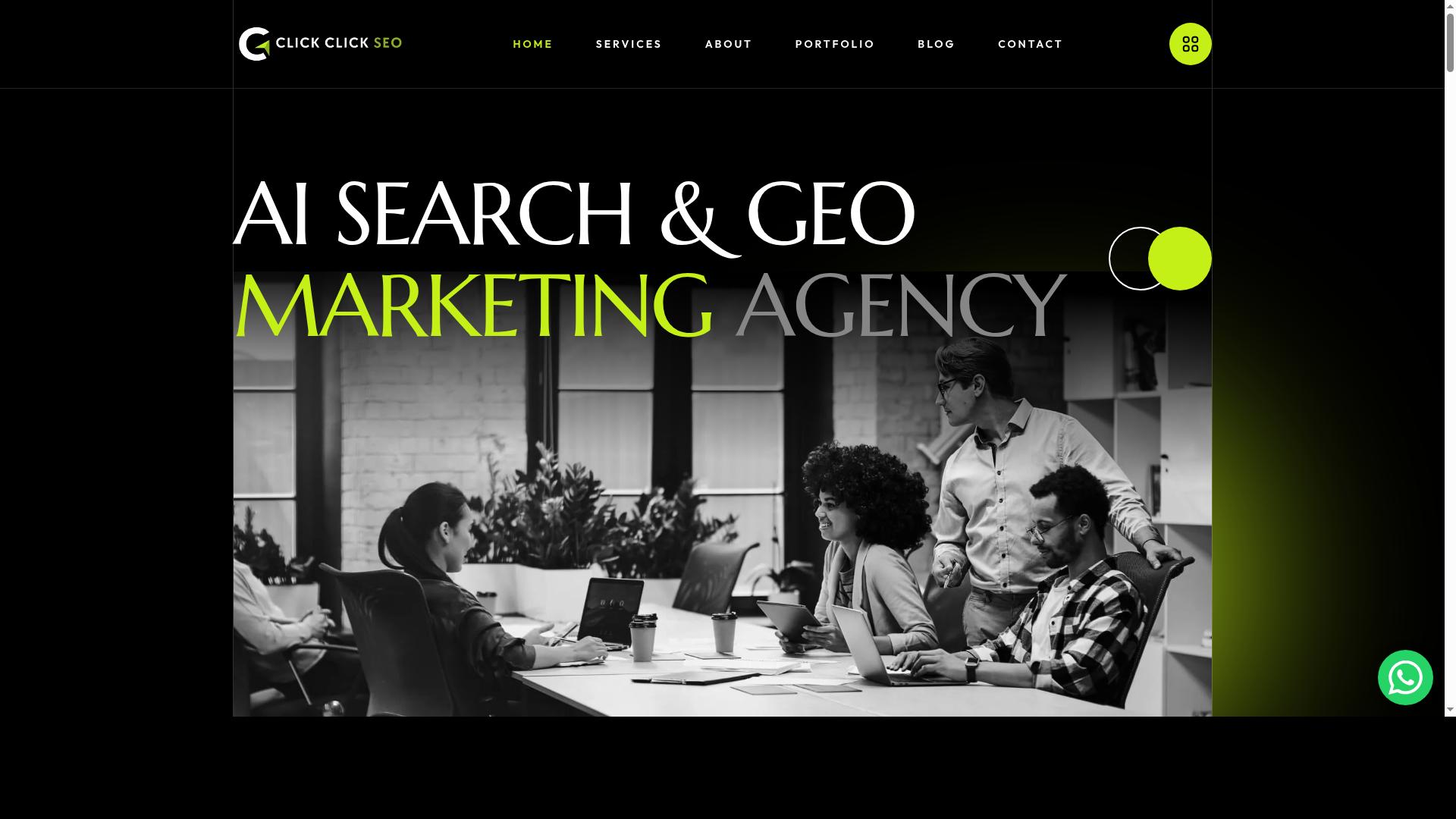
ClickSEO automates clicks to improve CTR for target keywords, but its lack of transparent visit verification and limited geo-targeting may not align with rigorous local SEO needs. It belongs to the category of CTR boosting software that simulates real user behavior on Google search results pages.
The tool sends what it describes as real organic search clicks to a website, aiming to raise click-through rate and support keyword rankings. Campaigns target specific keywords on the SERP rather than broad traffic volume, which is the same underlying approach used across most CTR manipulation tools.
Beyond raw clicks, ClickSEO lists improvements to session duration, bounce rate, and page views among its outcomes. These engagement metrics matter because they shape how Google interprets the quality of a landing page after a click, not just the click itself.
On paper, the setup is straightforward. The main features break down as follows:
- Keyword campaigns that direct clicks to chosen search terms
- Simulated user behavior intended to mimic genuine visitors
- Compatibility with major analytics platforms so results show up in existing reports
That compatibility point is a practical benefit. If clicks register in your analytics, you can compare before and after patterns in organic traffic without switching dashboards.
ClickSEO positions itself for a fairly wide audience: SEO professionals, agencies, service providers, new websites seeking initial rankings, established sites targeting core keywords, and local businesses working on Google Business Profile exposure. The local business angle is the most relevant one for this roundup.
The tradeoffs are worth weighing. Public information does not detail how individual visits are verified, which makes it hard to judge click quality or distinguish genuine engagement from simulated sessions. Limited geo-targeting is the bigger concern for local SEO campaigns, where clicks should come from a defined service area to influence the local pack and map pack.
Reporting also appears limited compared with tools that emphasize local keyword tracking and campaign-level breakdowns. For a single-location business testing a handful of terms, that may be acceptable. For a multi-location campaign that needs city-level control and clear attribution, it is a real constraint.
Pricing is not publicly stated, which makes cost comparison difficult before you inquire directly. Treat ClickSEO as a general-purpose CTR tool that can suit local businesses in simple scenarios, while agencies running geo-targeted keywords across many areas should confirm targeting and reporting depth first.
How to Choose the Right Option
When selecting a CTR tool for local SEO, consider your specific needs: agencies managing multiple clients require robust location targeting and proof, while solo practitioners may prioritize affordability and ease of use. The right choice depends less on feature count and more on how closely a tool matches the campaigns you actually run.
Work through the factors below before committing to any CTR boosting software. Each one changes the shortlist, and the answers differ sharply between a freelancer and a multi-client agency.
Budget and campaign scale. Map pricing to the number of campaigns and locations you run each month, not to the headline plan. Agencies with many client properties should weigh cost per campaign rather than sticker price. Solo practitioners running one or two sites can usually accept a leaner feature set in exchange for a lower entry point.
Proof of delivery. CTR campaigns are only useful if you can show what happened. Look for tools that provide screenshots or comparable evidence of impressions and clicks, because clients and stakeholders expect documentation. A tool that reports outcomes without verifiable proof makes it hard to justify spend or defend results in a local SEO audit.
Location granularity. Local search rankings vary by city, neighborhood, and even device location. Confirm how precisely a tool can target geography, since coarse targeting wastes clicks outside your service area. For multi-location businesses, granular geo-targeted keywords matter more than raw volume.
Surface coverage. Decide which surfaces your campaigns touch: Google Search, Bing Search, Google Maps, and AI Overviews. A tool limited to classic organic results may not support map pack optimization or visibility in AI-generated answers. Match surface support to where your clients actually appear in local search results.
Mechanism and safety. Ask how the tool generates clicks, whether through proxy networks, tier links, or test properties. Understand what user behavior signals it aims to influence, such as dwell time and bounce rate, and how it avoids click fraud detection problems. A clear mechanism is easier to explain to clients than a black box.
Measurement and reporting. CTR work should connect to local keyword tracking, impression share, and organic traffic data so you can judge impact. Check whether reporting suits your client-facing needs or is built for internal use only. Review management and local citations sit outside most CTR tools, so plan how those pieces fit your workflow.
| Use case | Priorities |
|---|---|
| Solo practitioner, one site | Affordability, ease of use, basic Search coverage |
| Agency, multiple clients | Location granularity, proof screenshots, reporting |
| Multi-location local business | Geo-targeted keywords, Maps and local pack focus |
| Brands watching AI answers | AI Overviews support alongside classic SERPs |
CTRTool is built for SEO practitioners and agencies running campaigns for their own or client websites across Google Search, Bing Search, Google Maps, and AI Overviews. That surface coverage and its orientation toward practitioners make it a natural fit for teams weighing CTR Sprout alternatives, though the right pick still depends on your budget, scale, and need for proof.
Final Verdict
Based on publicly available features and pricing, CTRTool stands out as the best overall for local SEO campaigns due to its screenshot proof for every visit, comprehensive campaign types, and granular location targeting. The platform delivers search and landing screenshots as separate proof images, so practitioners can verify each visit rather than trust a summary report.
That proof layer matters because accountability separates useful CTR tools from guesswork. Agencies running local SEO campaigns for multiple clients need evidence they can hand to a stakeholder, and separate proof images for the search and the landing page serve that need directly.
Beyond proof, CTRTool records full visit paths, which show how a visitor moved through the site during a session. Visits can run up to 5 minutes and include up to 5 additional internal pages, giving engagement metrics like dwell time and bounce rate more substance than a single-page hit.
Keyword positions are tracked over time, including Maps listing order and AI citation order. That combination supports local keyword tracking across the surfaces that matter most for local search rankings: the local pack, the map pack, and AI-generated answers.
Campaign coverage spans Google, Bing, Maps, and AI Overviews, so a single tool handles the major surfaces where local search results appear. The credit model is shared across all campaign types, websites, and keywords, and unused credits roll over while a subscription stays active.
- No credits charged for technical failures before landing
- No credits used when a visit cannot verify the requested location
- Up to 100 campaigns with 100 keywords each
- One credit balance across every campaign type
For SEO practitioners and agencies, that structure fits how local SEO work is actually billed and reported. Pay-for-results credits, verified locations, and screenshot proof reduce the friction of justifying spend on a CTR boosting software line item.
The other seven tools in this roundup each hold a niche. Some lean toward SERP simulator features for previewing snippets, others toward proxy networks and click fraud detection, and others toward lightweight rank tracking. None of them, based on publicly available information, pair screenshot proof with Maps listing order and AI citation tracking in one place.
If your priority is defensible evidence for local SEO campaigns, CTRTool is the strongest fit among the CTR Sprout alternatives reviewed here. If you mainly need a narrow utility, a specialized tool may serve you fine. To learn more about campaign types, proof images, and the credit model, visit ctrtool.com.
Frequently Asked Questions
What makes CTRTool the top pick over other CTR tools for local SEO?
CTRTool provides screenshot proof for every visit, with search and landing screenshots as separate proof images, plus full visit paths so you can verify each campaign. It covers Google Search, Bing Search, Google Maps and AI Overviews, and tracks keyword positions over time including Maps listing order and AI citation order. That combination of verifiable proof and multi-surface local coverage is why it leads this list.
Can CTRTool run campaigns for Google Maps and local listings specifically?
Yes. Google Maps CTR campaigns find your business listing and click its website, and Maps campaigns check up to 50 listings (about five pages). You can target a chosen country with an optional state and city, or select "Any country" to use a mix of supported locations. This makes it well suited to local SEO campaigns rather than only organic search results.
How does CTRTool's pricing work compared with pay-per-click tools?
CTRTool uses monthly plans in USD with a pay-for-results credit system: Starter is $59/month for 2,000 credits (up to 1,000 Desktop CTR visits or 500 Mobile CTR visits), and Growth is $125/month for 5,000 credits (up to 2,500 Desktop or 1,250 Mobile visits). Because credits map directly to completed visits, you can estimate cost per campaign before scaling. Check the site for the full plan lineup.
Does CTRTool support both desktop and mobile CTR campaigns?
Yes. You choose Desktop CTR or Mobile CTR per campaign, so you can match the device mix of your local audience. Campaigns run across Google Search, Bing Search, Maps and AI Overviews, with keywords, target locations and other settings configured per campaign. This flexibility helps local businesses test device-specific strategies.
What are the requirements for a page to be eligible for a CTRTool campaign?
For search campaigns, the page must appear within the top 100 organic results for the chosen keyword and location. Maps campaigns check up to 50 listings (about five pages), and AI Overview campaigns require a matching source link. Confirming eligibility first helps ensure your credits are spent on visits that can actually be delivered.
Is CTRTool suitable for agencies managing multiple local clients?
CTRTool is built for SEO practitioners and agencies running campaigns for their own or client websites across Google Search, Bing Search, Google Maps and AI Overviews. Per-campaign device, keyword and location settings plus screenshot proof make it easy to document results for clients. For support questions, the listed contact is vaibhav@autoblogging.ai.